
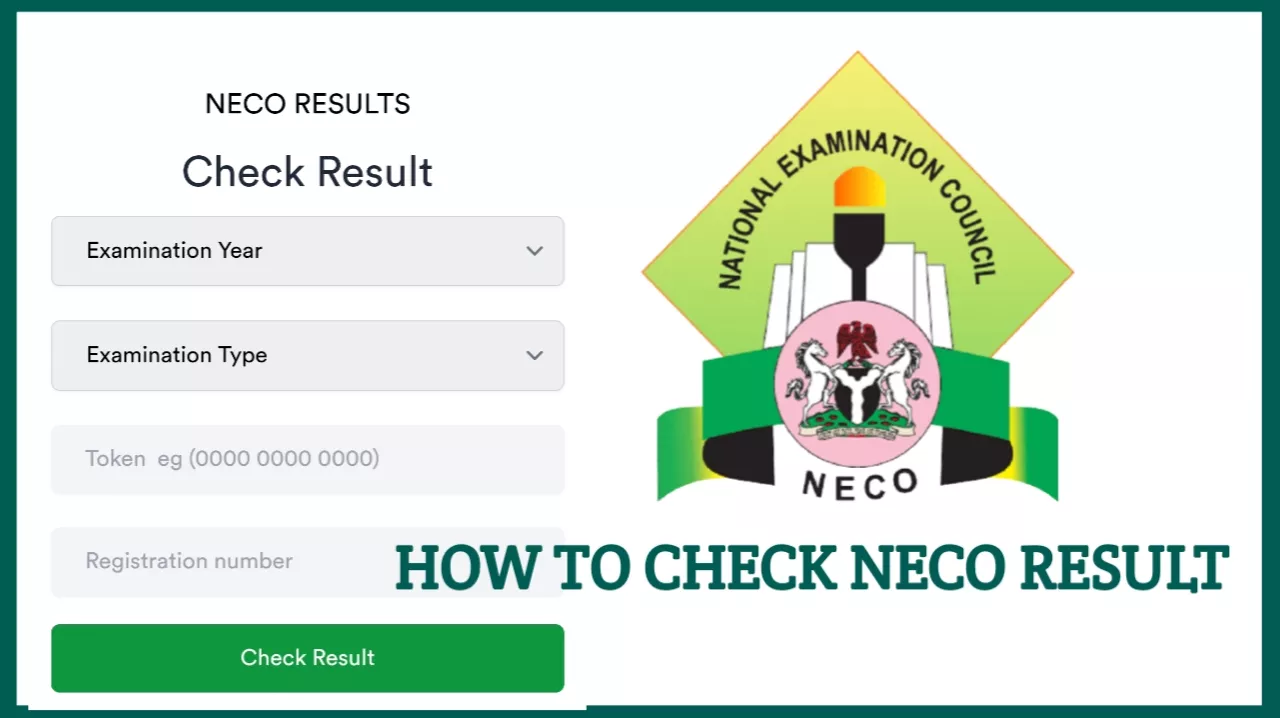
Want to know how to check NECO Result 2026? Candidates who sat for the National Examinations Council (NECO) examination can check their results online through the official NECO Results Portal once the result for their examination has been released.
The process is straightforward. You need your NECO result-checking token, examination year, examination type and registration number. You can then access your result using a mobile phone, tablet or computer with an internet connection.
This guide explains how to check NECO Result 2026 online, where to access the official result checker, what information you need, how to purchase a result token, how to print or save your result and what to do if you encounter an error while checking.
Important: NECO results should only be checked through the official NECO Results Portal. Avoid websites or individuals asking for your examination login details, result token or other sensitive information.
NECO Result 2026 Latest Update
The National Examinations Council provides an official online portal where candidates can check their examination results.
At the time of checking this guide, candidates should confirm that their particular 2026 examination result has been released before attempting to check it. The availability of a result depends on the specific NECO examination and the Council’s official result-release announcement.
Once your result has been released, you can use the official result checker to select the appropriate examination year and examination type, enter your token and registration number, and view your result.
What You Need to Check NECO Result 2026
Before starting the result-checking process, make sure you have the following information available:
- NECO result-checking token.
- Examination year: 2026.
- Examination type: Select the examination you sat for.
- Registration number: Your NECO examination registration number.
- A phone, tablet or computer with internet access.
The official NECO Results Portal specifically asks candidates to select their examination year and examination type, enter their token and registration number, and then click the button to check the result.
Official NECO Result Checker Portal 2026
The official website for checking NECO results is:
The portal provides options for candidates to select their examination year and examination type before entering their token and registration number.
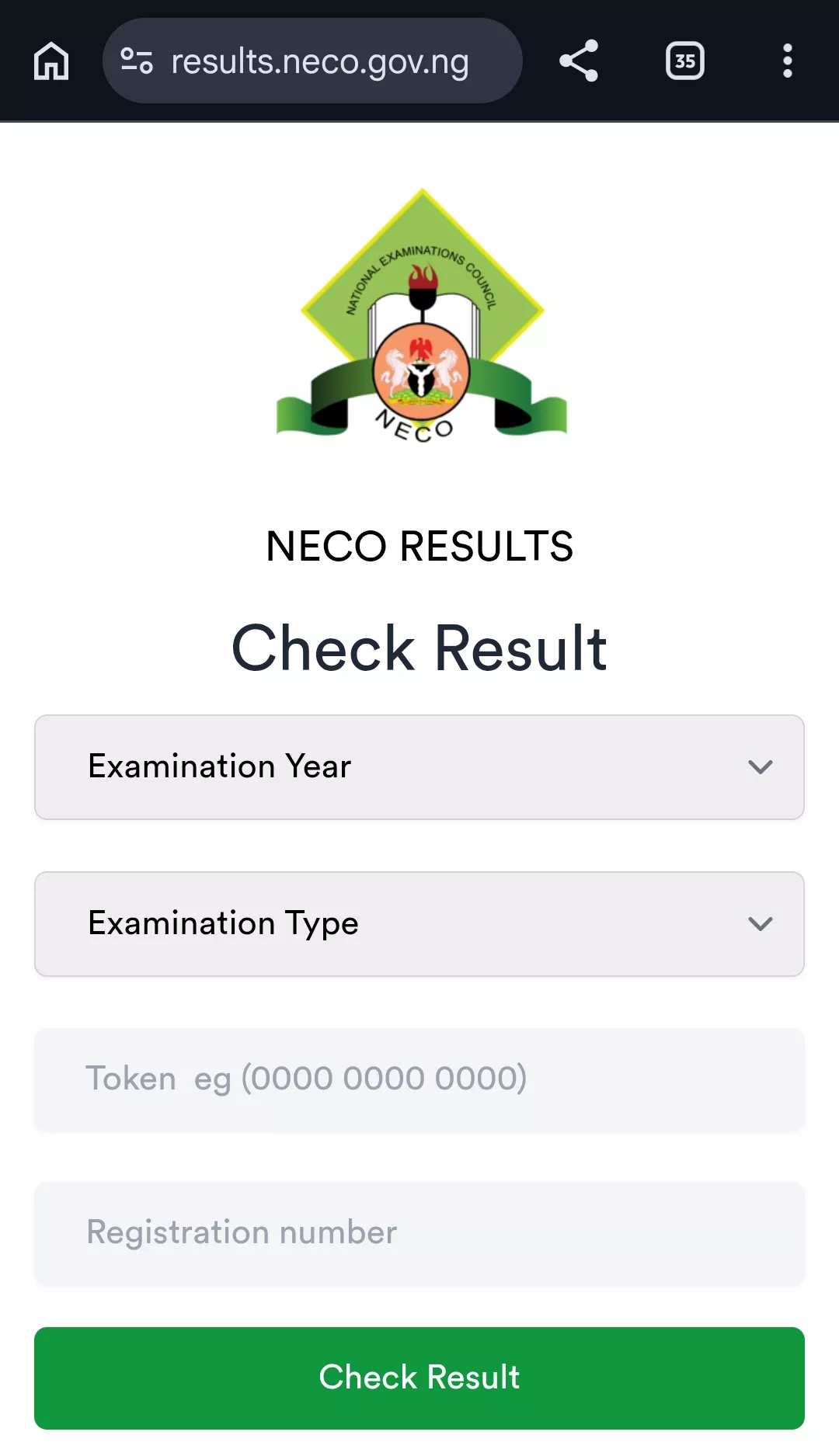
Always check the website address before entering your information. Do not enter your NECO token or registration number into an unofficial result-checking website.
How to Check NECO Result 2026 Online
Follow these steps to check your NECO result online:
Step 1: Visit the Official NECO Results Portal
Open your browser and visit the official NECO Results Portal:
You can access the portal using Google Chrome, Safari, Firefox or another modern web browser.
Step 2: Select the Examination Year
On the result-checking page, locate the examination year field and select 2026.
Make sure you select the correct year because choosing a different examination year can prevent the system from locating your result.
Step 3: Select Your Examination Type
Select the examination type that corresponds with the examination you sat for.
For example, a candidate who sat for the NECO school-based examination should select the appropriate SSCE Internal option, while a candidate who sat for the external examination should select the appropriate SSCE External option.
Step 4: Enter Your NECO Token
Enter your NECO result-checking token in the token field.
Check the numbers carefully before proceeding. A single incorrect digit can cause the result checker to reject the token.
Step 5: Enter Your Registration Number
Enter the registration number associated with your NECO examination.
Do not add random spaces or characters to the registration number. If you are copying it from your examination documents, check the number carefully before submitting it.
Step 6: Click “Check My Result”
After entering all the required information, click the “Check my result” button.
If your result is available and the information entered is correct, the portal should display your NECO result.
How to Check NECO Result 2026 With Your Phone
You do not need a computer to check your NECO result. A smartphone with an internet connection is sufficient.
To check your result on an Android phone or iPhone:
- Open Chrome, Safari or another web browser.
- Visit the official NECO Results Portal.
- Select 2026 as the examination year.
- Select the correct examination type.
- Enter your result token.
- Enter your NECO registration number.
- Click Check my result.
- Wait for the result to load.
If your result appears correctly, you can take a screenshot or save the result page for temporary reference. For official admission or verification purposes, however, use the appropriate NECO result verification service or documentation requested by the institution.
How to Buy NECO Result Token 2026
A NECO result-checking token is required to access a result through the official result-checking portal.
If you do not have a token, the official NECO Results Portal provides a Purchase Token option. Candidates should use the purchase option provided on the official portal rather than buying a token from an unknown social media vendor. You can also buy from legit sites like: necotoken.com.ng at ₦2500 only.
The general process is:
- Visit the official NECO Results Portal.
- Select the option to purchase a token.
- Follow the instructions displayed on the official platform.
- Complete the required payment.
- Obtain your result-checking token.
- Return to the result-checking page and use the token to check your result.
Important: Check the amount displayed on the official NECO payment page before making payment, as fees and payment arrangements can change.
How Much Is NECO Result Token 2026?
The cost of a NECO result-checking token should be confirmed from the official NECO Results Portal at the time you purchase it.
NECO published service information has previously listed a result-checker token as a paid service, but candidates should not rely on an old price when checking a current result. The amount displayed by NECO during the actual purchase should be treated as the applicable price.
Tip: Avoid paying an individual who claims to have a “special” NECO result token at a different price. Purchase your token through the official NECO platform or through necotoken.com.ng whenever possible.
How to Check NECO GCE Result 2026
If you sat for the NECO SSCE External examination, commonly called the NECO GCE, you can use the official NECO Results Portal to check your result when it is released.
The basic process is:
- Open the official NECO Results Portal.
- Select the appropriate examination year.
- Select SSCE External as the examination type.
- Enter your NECO token.
- Enter your registration number.
- Click Check my result.
Make sure you select SSCE External rather than SSCE Internal if you registered for the NECO GCE/external examination.
How to Check NECO SSCE Internal Result 2026
Candidates who participated in the school-based NECO SSCE Internal examination should select the appropriate SSCE Internal examination option on the result-checking portal.
You will still need your result token and registration number to access the result through the official results system.
If your school provided you with examination information or documentation, keep those details available when checking your result.
What Information Is Shown on a NECO Result?
After successfully checking your result, you should review the information displayed carefully.
Depending on the result and examination type, the result information may include details such as:
- Candidate’s name.
- Examination number or registration details.
- Subjects registered.
- Grades obtained.
- Other examination information provided by NECO.
If you notice an unexpected issue with your result, do not immediately assume that the result is incorrect. First confirm that you selected the correct examination year and examination type and entered the correct registration details.
What to Do If Your NECO Result Is Not Showing
There are several reasons why a candidate may not immediately see a result after entering their details.
1. Confirm That the Result Has Been Released
If NECO has not yet officially released your particular examination result, the result checker may not display it.
Check the official NECO website or official announcements before repeatedly trying to access the portal.
2. Check Your Examination Year
Make sure you selected 2026 if you are checking a 2026 result.
3. Check the Examination Type
Make sure you selected the correct examination type. Selecting SSCE Internal when you actually sat for SSCE External, for example, can result in an unsuccessful search.
4. Check Your Registration Number
Compare the registration number you entered with the number on your NECO examination documents.
5. Check the Token
Make sure every digit of the token was entered correctly. If the token is incorrect, the portal cannot use it to retrieve your result.
6. Try Again Later
Immediately after a major result release, many candidates may attempt to access the portal at the same time. This can cause temporary network or server-related difficulties.
If the problem appears to be temporary, wait for some time and try again rather than purchasing another token unnecessarily.
Common NECO Result Checker Errors and Solutions
| Problem | What to Check |
|---|---|
| Invalid token | Confirm that the token was entered correctly and that you are using the correct token. |
| Result not displayed | Confirm that the result has been released and that you selected the correct examination year and type. |
| Wrong registration number | Compare the number entered with your official examination documents. |
| Website not responding | Check your internet connection and try again later. |
| Wrong examination type | Select SSCE Internal or SSCE External according to the examination you actually sat for. |
| Payment problem | Check your payment status before attempting another payment. |
Can I Check My NECO Result Without a Token?
The official NECO Results Portal currently requires candidates to enter a token and registration number to check a result online.
If you do not have a token, the portal provides an option to purchase one. Candidates should therefore be cautious about websites or individuals claiming that they can provide a free or unofficial method of accessing the complete NECO result.
Can I Check NECO Result 2026 More Than Once?
If you need to view your result again, use the official NECO result-checking system and follow the instructions displayed on the portal regarding token usage.
Do not assume that buying multiple tokens is necessary simply because you are having difficulty accessing the result. First confirm that the problem is not caused by the wrong examination year, examination type, registration number, token or temporary website issue.
How to Print NECO Result 2026
After your result is displayed, you can save the result page or use your browser’s print function if you need a physical copy for your records.
On a Computer
- Open your NECO result.
- Select the browser’s print option.
- Choose your printer or save the document as PDF if that option is available.
- Check the preview.
- Print or save the document.
On a Smartphone
- Open your result page.
- Use your browser’s menu.
- Select the print or share option where available.
- Select Save as PDF if supported by your device.
- Save the file in a secure location.
Keep in mind that a result printout and an original NECO certificate are not necessarily the same document. Use the document specifically requested by your school, university, employer or other institution.
How to Verify NECO Result for Admission
Checking your result is different from formally verifying or confirming a result for an institution.
NECO operates an official e-Verify Platform for result verification and confirmation. The platform provides individual and institutional verification services.
Individuals can use the system to verify or generate a verification report for institutional purposes, while institutions can use the platform to verify candidates’ NECO results.
Official NECO e-Verify portal:
This may be relevant when a university, employer or other organization asks you to provide an official result verification or confirmation rather than simply showing a result-checking webpage.
NECO Result Checker vs NECO e-Verify
| Service | Main Purpose |
|---|---|
| NECO Results Portal | Allows candidates to check their examination results. |
| NECO e-Verify | Provides result verification and confirmation services for individuals and institutions. |
Do not confuse the two services. If you simply want to see your examination grades, use the NECO Results Portal. If an institution requires formal result verification, check the requirements of that institution and use the appropriate NECO e-Verify process.
Important Safety Tips When Checking NECO Result
- Use the official NECO Results Portal.
- Do not share your result token publicly.
- Do not post your registration number together with your token on social media.
- Do not give your password or payment details to strangers.
- Check the website address before entering personal information.
- Avoid unofficial websites promising leaked or altered results.
- Do not pay individuals who claim they can change your NECO grade.
- Keep a secure copy of your result after checking it.
RELATED POST
NECO GCE Timetable 2026: SSCE External Exam Date & Schedule
NECO GCE Registration 2026: Requirements, Fee, Deadline & How to Register
NECO Examination Supervisors Recruitment 2026
Conclusion
Checking your NECO Result 2026 is straightforward once your examination result has been officially released. You need your result token, examination year, examination type and registration number to access the result through the official NECO Results Portal.
If the result does not appear immediately, do not panic or purchase another token without first checking that you selected the correct examination year and type and entered your registration details correctly.
After checking your result, save a copy for your records and follow the requirements of your university, employer or other institution if you need to submit or verify the result.
Bookmark this page for future reference and share it with other candidates who may need help checking their NECO results.
Last updated: September 14, 2026.