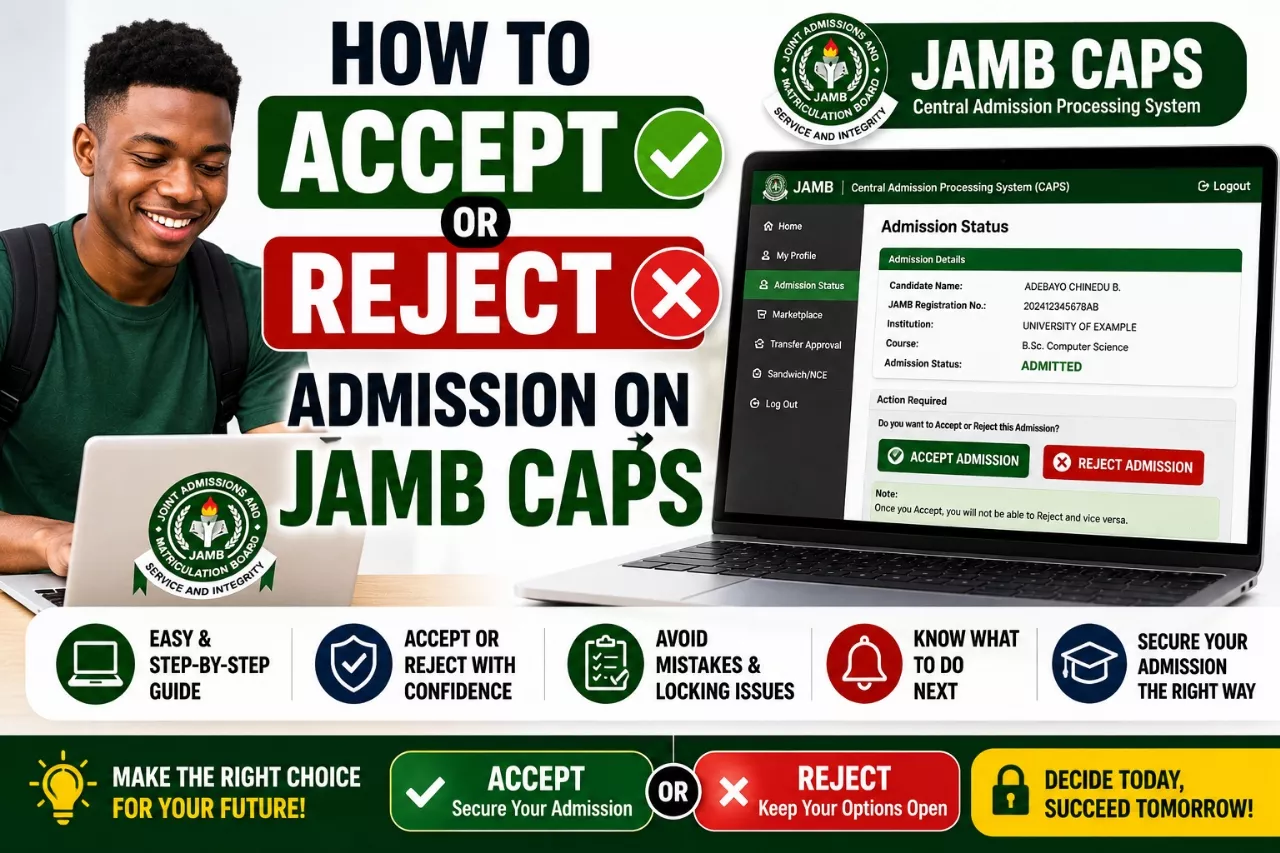
The Joint Admissions and Matriculation Board (JAMB) uses the Central Admission Processing System (CAPS) to process admissions into universities, polytechnics, colleges of education, and other tertiary institutions in Nigeria.
Every candidate seeking admission for the 2026/2027 academic session is advised to regularly monitor their JAMB CAPS portal to know their admission status and take necessary action when admission is offered.
Through JAMB CAPS, candidates can:
- Check admission status
- Accept admission offers
- Reject admission offers
- Monitor admission progress
- View transfer approvals
- Print admission letters after acceptance
In this guide, we will show you how to check admission on JAMB CAPS 2026, how to accept admission, and what to do after receiving an admission offer.
What is JAMB CAPS?
JAMB CAPS means Central Admission Processing System.
It is an online admission management platform introduced by JAMB to improve transparency, fairness, and efficiency in the admission process.
Before the introduction of CAPS, candidates had limited information about how admissions were processed. However, the CAPS platform now allows candidates to monitor every stage of their admission process directly from their JAMB profile.
Through JAMB CAPS, institutions can recommend qualified candidates for admission while candidates can decide whether to accept or reject admission offers.
Some of the major functions of JAMB CAPS include:
- Admission processing and approval
- Monitoring admission status
- Accepting admission offers
- Rejecting admission offers
- Managing course transfer requests
- Ensuring transparency in admissions
All candidates seeking admission into Nigerian tertiary institutions are required to use JAMB CAPS during the admission process.
Why You Should Check JAMB CAPS Regularly
Many candidates miss important admission updates because they fail to check their CAPS portal regularly.
Checking your JAMB CAPS frequently allows you to stay informed about your admission status and take immediate action whenever necessary.
Below are some important reasons why you should monitor your JAMB CAPS regularly:
- To Know When Admission Has Been Offered: Institutions upload admission lists in batches. Regular checks help you know immediately when you have been admitted.
- To Accept Admission Quickly: Once admission is offered, candidates are expected to accept the admission on CAPS before proceeding with other registration processes.
- To Avoid Losing Admission Opportunities: Delaying acceptance may affect further admission processing in some institutions.
- To Monitor Admission Progress: CAPS allows candidates to see whether admission is still being processed or has already been approved.
- To Track Transfer Requests: Some institutions may recommend candidates for alternative courses. CAPS allows candidates to view and approve such transfers.
- To Stay Updated: Admission statuses can change from “Not Admitted” to “Admission in Progress” or “Congratulations” at any time during the admission exercise.
For this reason, candidates are advised to check their JAMB CAPS portal regularly throughout the admission period.
Requirements for Checking Admission on JAMB CAPS 2026
Before you can successfully check your admission status on JAMB CAPS, there are certain requirements you must have ready. These requirements will enable you to access your JAMB profile and monitor your admission process without any issues.
Ensure you have the following:
- JAMB Registration Number: This is the unique registration number issued to you during UTME registration.
- Registered Email Address: The email address linked to your JAMB profile.
- JAMB Password: Your password is required to log into the JAMB e-Facility portal.
- Internet Connection: A stable internet connection is necessary for accessing the CAPS portal.
- Smartphone or Computer: You can use a mobile phone, tablet, laptop, or desktop computer.
- Updated O’Level Results: Candidates should ensure their O’Level results have been uploaded to JAMB CAPS, as admission processing may be delayed without them.
Once these requirements are available, you can proceed to check your admission status on the JAMB CAPS portal.
JAMB CAPS Portal 2026
The JAMB CAPS platform is accessible through the official JAMB e-Facility portal.
All candidates are required to log into their JAMB profile before they can access CAPS and view their admission status.
Official JAMB e-Facility Portal:
https://efacility.jamb.gov.ng/
Through this portal, candidates can perform various activities including:
- Checking admission status
- Accessing JAMB CAPS
- Accepting admission offers
- Rejecting admission offers
- Printing admission letters
- Printing original JAMB results
- Applying for correction of data
Candidates should only use the official JAMB portal and avoid fraudulent websites claiming to offer admission services.
How To Check Admission on JAMB CAPS 2026
Follow the steps below to check your admission status on JAMB CAPS for the 2026/2027 academic session.
Step 1: Visit the JAMB e-Facility Portal
Open your browser and visit the official JAMB portal:
https://efacility.jamb.gov.ng/
Step 2: Login to Your JAMB Profile
Enter your registered email address and password in the appropriate fields and click on the login button.
Step 3: Access the Admission Status Page
After logging in successfully, locate and click on “Check Admission Status” from the list of available services.
If the option is not immediately visible, click on “Access My CAPS”.
Step 4: Select Examination Year
Choose 2026 as your examination year.
Step 5: Click “Check Admission Status”
Click the button to view your current admission status.
Step 6: View Your Admission Status
Your admission status will be displayed on the screen. You may see any of the following messages:
- Congratulations! Admission Offered
- Admission in Progress
- Recommended
- Awaiting Approval
- Not Admitted
- No Admission Given Yet
If you have been offered admission, you should proceed immediately to accept the admission on CAPS and continue with your institution’s admission procedures.
It is advisable to check your CAPS portal regularly because admission lists are usually released in batches throughout the admission exercise.
How To Check JAMB CAPS Using Mobile Phone
Many candidates believe that JAMB CAPS can only be accessed using a computer. However, you can also check your admission status on JAMB CAPS using your smartphone.
To successfully access JAMB CAPS on a mobile phone, you need to enable the desktop version of your browser because some CAPS features may not display properly on mobile view.
Steps to Check JAMB CAPS Using Your Phone
- Open Google Chrome or any modern browser on your phone.
- Visit the official JAMB e-Facility Portal:https://efacility.jamb.gov.ng/
- Click the browser menu (three dots at the top-right corner).
- Select “Desktop Site” or “Desktop Mode”.
- Login using your registered email address and password.
- Locate and click “Check Admission Status” or “Access My CAPS”.
- Select the examination year (2026).
- Click “Check Admission Status”.
- Your admission status will be displayed on the screen.
If the CAPS page does not load properly on your mobile device, try using another browser or clear your browser cache before trying again.
How To Accept Admission on JAMB CAPS 2026
If you have been offered admission on JAMB CAPS, you are expected to accept the admission before proceeding with other admission processes such as payment of acceptance fees, school registration, and printing of your admission letter.
Accepting admission confirms that you are willing to study the course and institution that offered you admission.
Steps to Accept Admission on JAMB CAPS
- Visit the JAMB e-Facility Portal.
- Login using your email address and password.
- Click on “Access My CAPS”.
- Select “Admission Status”.
- View your admission details.
- Click on the “Accept Admission” button.
- Confirm your decision when prompted.
- Wait for the confirmation message indicating that your admission has been successfully accepted.
After accepting admission, you should proceed to print your JAMB Admission Letter and Original JAMB Result Slip, as these documents may be required during your institution’s registration and clearance process.
Important: Candidates are advised to accept their admission as soon as it is offered to avoid unnecessary delays during the admission process.
How To Reject Admission on JAMB CAPS
JAMB CAPS also allows candidates to reject admission offers. However, this option should only be used when absolutely necessary.
For example, a candidate may choose to reject admission if:
- The admission is for a course they do not wish to study.
- The institution is not their preferred choice.
- They intend to pursue admission elsewhere.
Before rejecting admission, candidates should understand that admission opportunities may not be restored once they have been rejected.
Steps to Reject Admission on JAMB CAPS
- Login to your JAMB e-Facility account.
- Click on “Access My CAPS”.
- Select “Admission Status”.
- Review the admission offer carefully.
- Click on “Reject Admission”.
- Confirm your decision.
Warning: Candidates should think carefully before rejecting admission because JAMB and the admitting institution may not be able to reverse the decision afterward.
Unless there is a valid reason, candidates are generally advised to accept admission once it is offered through JAMB CAPS.
Meaning of Different JAMB CAPS Admission Status Messages
While checking your admission status on JAMB CAPS, you may come across different admission status messages. Understanding what these messages mean will help you know the stage of your admission process and what action to take.
1. Admission in Progress
This status means that your preferred institution is currently processing your admission. At this stage, no final admission decision has been made.
What You Should Do:
- Remain patient.
- Continue checking your CAPS regularly.
- Ensure your O’Level results have been uploaded to JAMB.
2. Recommended
This means that your institution has recommended you for admission and your details have been forwarded to JAMB for approval.
What You Should Do:
- Wait for JAMB’s final approval.
- Monitor CAPS frequently.
3. Awaiting Approval
This indicates that your admission is awaiting final approval from JAMB.
What You Should Do:
- Do not panic.
- Keep checking your admission status regularly.
4. Congratulations
This is the best message a candidate can receive on JAMB CAPS.
It means you have been successfully offered admission into your chosen institution.
What You Should Do:
- Accept the admission immediately.
- Print your admission letter.
- Proceed with your institution’s registration process.
5. Not Admitted
This simply means that you have not yet been offered admission.
It does not necessarily mean that you will not be admitted.
What You Should Do:
- Continue monitoring CAPS.
- Wait for subsequent admission batches.
6. No Admission Given Yet
This status means that no admission decision has been made regarding your application.
What You Should Do:
- Remain patient.
- Continue checking regularly.
What To Do After Accepting Admission on CAPS
Accepting admission on JAMB CAPS is only the first step in the admission process. After accepting your admission offer, there are several important actions you need to take.
1. Print Your JAMB Admission Letter
The JAMB Admission Letter serves as official proof that you have been admitted through JAMB.
2. Print Your Original JAMB Result Slip
Most institutions require candidates to present their original JAMB result slip during screening and registration.
3. Pay Acceptance Fee
Visit your institution’s admission portal and pay the required acceptance fee if applicable.
4. Complete Online Screening
Some institutions require admitted candidates to complete online clearance or screening before registration.
5. Upload Required Documents
Prepare and upload necessary documents such as:
- WAEC/NECO Result
- Birth Certificate
- Certificate of Origin
- JAMB Admission Letter
- JAMB Result Slip
- Passport Photograph
6. Proceed With School Registration
Follow the registration guidelines provided by your institution to complete your admission process.
Failure to complete these steps may affect your admission status.
Why Admission May Not Appear on CAPS
Many candidates become worried when they cannot find their admission status on JAMB CAPS. However, there are several reasons why admission may not appear immediately.
1. Admission Is Still Being Processed
Institutions release admissions in batches. Your admission may still be undergoing processing.
2. O’Level Result Has Not Been Uploaded
One of the most common reasons for admission delays is failure to upload WAEC, NECO, or NABTEB results to JAMB CAPS.
3. JAMB Approval Is Pending
Your institution may have recommended you for admission, but JAMB approval may still be pending.
4. Admission Batch Has Not Been Released
Some institutions release admission lists gradually throughout the admission period.
5. Incomplete Admission Requirements
Candidates who do not meet admission requirements may experience delays in admission processing.
6. Technical Issues on CAPS
Occasionally, the CAPS portal may experience temporary technical issues which can affect the display of admission status.
7. Wrong Subject Combination
Incorrect UTME subject combinations or admission requirements may affect admission processing.
If your admission is not showing on CAPS, do not panic. Continue checking regularly and ensure that all admission requirements have been fulfilled.
Meaning of Different JAMB CAPS Admission Status Messages
While checking your admission status on JAMB CAPS, you may come across different admission status messages. Understanding what these messages mean will help you know the stage of your admission process and what action to take.
1. Admission in Progress
This status means that your preferred institution is currently processing your admission. At this stage, no final admission decision has been made.
What You Should Do:
- Remain patient.
- Continue checking your CAPS regularly.
- Ensure your O’Level results have been uploaded to JAMB.
2. Recommended
This means that your institution has recommended you for admission and your details have been forwarded to JAMB for approval.
What You Should Do:
- Wait for JAMB’s final approval.
- Monitor CAPS frequently.
3. Awaiting Approval
This indicates that your admission is awaiting final approval from JAMB.
What You Should Do:
- Do not panic.
- Keep checking your admission status regularly.
4. Congratulations
This is the best message a candidate can receive on JAMB CAPS.
It means you have been successfully offered admission into your chosen institution.
What You Should Do:
- Accept the admission immediately.
- Print your admission letter.
- Proceed with your institution’s registration process.
5. Not Admitted
This simply means that you have not yet been offered admission.
It does not necessarily mean that you will not be admitted.
What You Should Do:
- Continue monitoring CAPS.
- Wait for subsequent admission batches.
6. No Admission Given Yet
This status means that no admission decision has been made regarding your application.
What You Should Do:
- Remain patient.
- Continue checking regularly.
What To Do After Accepting Admission on CAPS
Accepting admission on JAMB CAPS is only the first step in the admission process. After accepting your admission offer, there are several important actions you need to take.
1. Print Your JAMB Admission Letter
The JAMB Admission Letter serves as official proof that you have been admitted through JAMB.
2. Print Your Original JAMB Result Slip
Most institutions require candidates to present their original JAMB result slip during screening and registration.
3. Pay Acceptance Fee
Visit your institution’s admission portal and pay the required acceptance fee if applicable.
4. Complete Online Screening
Some institutions require admitted candidates to complete online clearance or screening before registration.
5. Upload Required Documents
Prepare and upload necessary documents such as:
- WAEC/NECO Result
- Birth Certificate
- Certificate of Origin
- JAMB Admission Letter
- JAMB Result Slip
- Passport Photograph
6. Proceed With School Registration
Follow the registration guidelines provided by your institution to complete your admission process.
Failure to complete these steps may affect your admission status.
Why Admission May Not Appear on CAPS
Many candidates become worried when they cannot find their admission status on JAMB CAPS. However, there are several reasons why admission may not appear immediately.
1. Admission Is Still Being Processed
Institutions release admissions in batches. Your admission may still be undergoing processing.
2. O’Level Result Has Not Been Uploaded
One of the most common reasons for admission delays is failure to upload WAEC, NECO, or NABTEB results to JAMB CAPS.
3. JAMB Approval Is Pending
Your institution may have recommended you for admission, but JAMB approval may still be pending.
4. Admission Batch Has Not Been Released
Some institutions release admission lists gradually throughout the admission period.
5. Incomplete Admission Requirements
Candidates who do not meet admission requirements may experience delays in admission processing.
6. Technical Issues on CAPS
Occasionally, the CAPS portal may experience temporary technical issues which can affect the display of admission status.
7. Wrong Subject Combination
Incorrect UTME subject combinations or admission requirements may affect admission processing.
If your admission is not showing on CAPS, do not panic. Continue checking regularly and ensure that all admission requirements have been fulfilled.
RELATED POST
JAMB Result Slip Printing 2026 Begins May 18th – How To Print Original UTME Result
Can I Study Medicine with 220 in UNILAG?
Conclusion
Checking your admission status through JAMB CAPS 2026 is one of the most important steps every admission seeker must take during the admission process. Since all admissions into Nigerian universities, polytechnics, colleges of education, and other tertiary institutions are processed through CAPS, candidates are strongly advised to monitor their admission status regularly.
Remember that admission lists are usually released in batches, so seeing “Not Admitted” or “Admission in Progress” today does not necessarily mean you will not gain admission. Continue checking your CAPS portal frequently and ensure that all admission requirements, especially the upload of your O’Level results, have been completed.
Once admission is offered, accept it immediately on JAMB CAPS and proceed to print your JAMB Admission Letter, Original JAMB Result Slip, and other required documents needed by your institution.
Candidates should also be careful of fraudsters who claim they can secure admission or upgrade admission status for a fee. The only official platform for admission processing remains the JAMB CAPS portal.
We recommend checking your CAPS portal at least once every day throughout the admission period to avoid missing important updates or admission offers.
Bookmark this page and visit regularly for the latest JAMB admission updates, CAPS guides, Post-UTME information, admission lists, and school registration procedures for the 2026/2027 academic session.
If you found this guide helpful, kindly share it with other JAMB candidates who are currently awaiting admission.

Zamgist Education Desk is the editorial team behind Zamgist, providing reliable and practical updates on JAMB, WAEC, NECO, admissions, scholarships, recruitment and other education-related opportunities in Nigeria. Our content is researched from official and reliable sources and updated when important information changes.