 Zamgist
Uploading your O’Level result to the JAMB portal is one of the most important admission requirements for candidates seeking admission into Nigerian universities, polytechnics, colleges of education, and other tertiary institutions for the 2026/2027 academic session.
Every year, thousands of candidates lose admission opportunities because they fail to upload their WAEC, NECO, NABTEB, or GCE results to JAMB CAPS. Even candidates who meet the required cut-off marks may not be considered for admission if their O’Level results are not properly uploaded and verified by JAMB.
If you registered for the 2026 UTME using Awaiting Result (AR), it is compulsory to upload your result immediately after it is released. Candidates who already had their results during UTME registration should also verify that their results are correctly reflected on JAMB CAPS.
In this guide, zamgist will explain everything you need to know about uploading your O’Level result on the JAMB portal, including eligibility, requirements, upload procedures, verification methods, and common issues candidates encounter during the process.
What Is O’Level Result Upload on JAMB Portal?
O’Level result upload is the process of submitting your Senior Secondary School Examination results to the Joint Admissions and Matriculation Board (JAMB) for admission processing.
The uploaded result becomes part of your admission records and allows institutions to verify that you possess the required subjects and grades for your chosen course of study.
Many candidates mistakenly believe that entering their grades during UTME registration automatically completes the process. However, this is not always the case.
There is a significant difference between:
- Entering O’Level details during UTME registration
- Uploading and verifying O’Level results on JAMB CAPS
For candidates who registered with Awaiting Result, uploading becomes mandatory once their results are released.
JAMB accepts results from the following examination bodies:
- West African Examinations Council (WAEC)
- National Examinations Council (NECO)
- National Business and Technical Examinations Board (NABTEB)
- WAEC General Certificate Examination (WAEC GCE)
- NECO General Certificate Examination (NECO GCE)
Once uploaded successfully, institutions can access and verify your academic qualifications during the admission process.
Why Uploading O’Level Result on JAMB Portal Is Important
Uploading your O’Level result is not just a formality; it is a critical requirement for admission consideration.
Below are some reasons why candidates should upload their results as early as possible.
1. Admission Processing
Tertiary institutions rely on the O’Level results uploaded on JAMB CAPS to verify candidates’ eligibility for admission.
If your result is not uploaded, your admission may be delayed or completely denied.
2. JAMB CAPS Eligibility
JAMB CAPS uses uploaded O’Level results when processing admissions.
Candidates without uploaded results may not be considered for admission even if they performed well in UTME.
3. Post-UTME Screening
Most institutions require candidates to upload their O’Level results before participating in Post-UTME screening exercises.
Failure to do so may result in disqualification from the admission process.
4. Admission Letter Generation
Before admission letters can be generated, institutions and JAMB must verify that candidates meet the minimum academic requirements for their chosen courses.
Uploading your result helps facilitate this verification process.
5. Avoiding Admission Delays
Many candidates experience admission delays simply because their O’Level results were not uploaded on time.
Uploading early helps ensure smooth admission processing.
6. Verification of Subject Requirements
Different courses have different subject requirements.
The uploaded result allows institutions to confirm that candidates possess the required credits in relevant subjects.
7. Future Academic Documentation
Your uploaded O’Level result becomes part of your admission records and may be referenced during clearance, registration, and other academic processes.
For these reasons, candidates are strongly advised to upload their O’Level results immediately after obtaining them and verify that they are correctly reflected on JAMB CAPS.
Who Needs To Upload O’Level Result?
Not every candidate may need to upload an O’Level result immediately after UTME registration. However, there are specific categories of candidates who must ensure that their results are uploaded to JAMB CAPS before admission processing begins.
If you fall into any of the categories below, you should upload your O’Level result as soon as possible.
1. Candidates Who Registered With Awaiting Result (AR)
Candidates who selected Awaiting Result during JAMB registration are required to upload their results immediately after WAEC, NECO, NABTEB, or GCE results are released.
Failure to upload the result may prevent admission consideration.
2. Candidates Who Recently Obtained Their Results
If your O’Level result was not available during UTME registration but has now been released, you must upload it to JAMB.
3. Candidates Who Corrected Their O’Level Information
Candidates who made corrections to their O’Level details after registration should verify that the updated information has been uploaded successfully.
4. Candidates Applying Through Direct Entry
Direct Entry candidates may also need to upload their O’Level qualifications alongside other academic credentials required for admission processing.
5. Candidates Who Want To Verify Their Admission Eligibility
Even candidates who provided their results during registration are encouraged to verify that their results are correctly reflected on JAMB CAPS.
This helps prevent admission delays caused by missing or incomplete academic records.
Requirements for Uploading O’Level Result on JAMB Portal 2026
Before visiting a CBT centre or JAMB office for O’Level result upload, candidates should ensure they have all the necessary documents and information ready.
The following requirements are usually needed:
- JAMB Registration Number
- Original O’Level Result (WAEC, NECO, NABTEB, WAEC GCE, or NECO GCE)
- Registered Phone Number
- Registered Email Address
- JAMB Profile Details
- Valid Means of Identification (where required)
It is important to ensure that the grades and subjects on your result are accurate before submission.
Important Notice:
Candidates cannot normally upload their O’Level results directly through the JAMB CAPS portal themselves. The upload process is usually carried out at an accredited JAMB CBT centre or a JAMB office where authorized personnel have access to the upload platform.
After the upload is completed, candidates should request evidence or confirmation of the upload for future reference.
JAMB O’Level Result Upload Portal 2026
The official JAMB portal used for admission-related services is the JAMB e-Facility Portal.
Portal Address:
https://efacility.jamb.gov.ng/
Although candidates can use the portal to check and verify whether their results have been uploaded successfully, the actual upload process is usually performed at accredited CBT centres or JAMB offices.
Through the JAMB e-Facility Portal, candidates can:
- Check admission status
- Access JAMB CAPS
- Verify uploaded O’Level results
- Print admission letters
- Print original result slips
- Monitor admission progress
- Perform correction of data services
After uploading your O’Level result, it is advisable to log in to your JAMB profile periodically and verify that your subjects and grades are correctly displayed.
Candidates should avoid unauthorized websites or individuals claiming to offer result upload services, as this could lead to errors, delays.
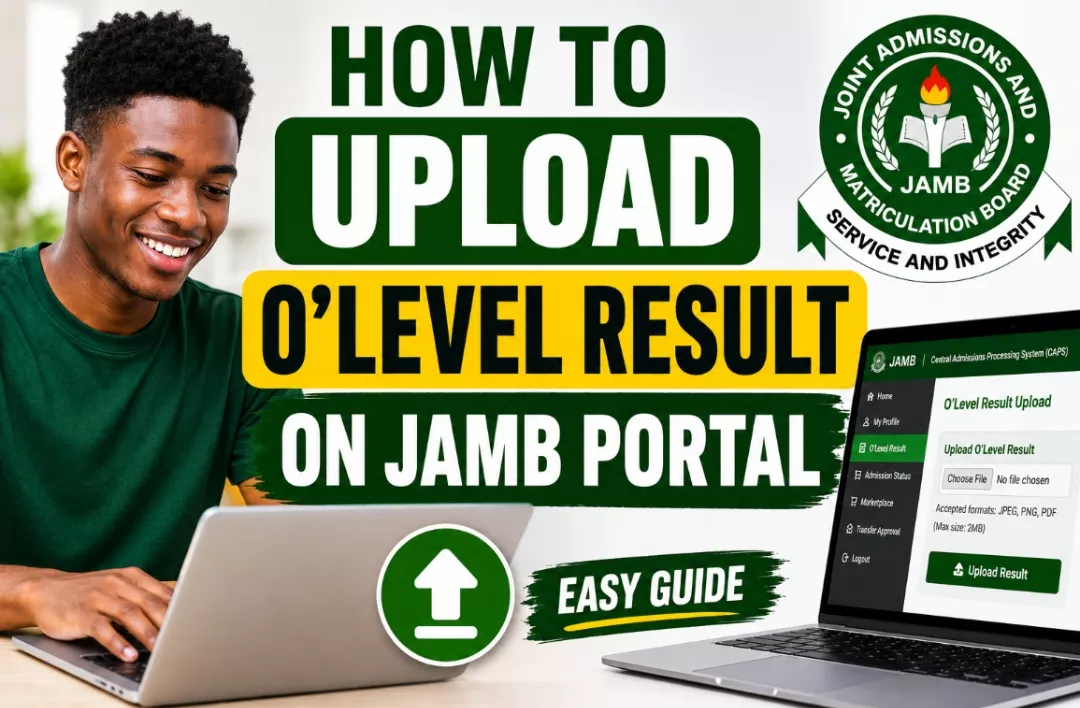
How To Upload O’Level Result on JAMB Portal 2026
If you have not uploaded your WAEC, NECO, NABTEB, WAEC GCE, or NECO GCE result to JAMB, you should do so immediately to avoid admission delays.
Follow the steps below to upload your O’Level result successfully.
Step 1: Visit an Accredited JAMB CBT Centre
Locate any accredited JAMB CBT centre or the nearest JAMB office in your area.
It is important to use only approved centres to avoid errors or fraudulent activities.
Step 2: Present Your O’Level Result
Provide the CBT operator with your original O’Level result or a clear printout containing your subjects and grades.
The operator will verify the details before proceeding.
Step 3: Provide Your JAMB Registration Number
You will be required to provide your JAMB Registration Number and other profile information for identification.
Step 4: Biometric Verification
In some cases, candidates may be required to perform biometric verification (fingerprint authentication) before the upload can be completed.
Step 5: Upload Processing
The CBT operator will upload your O’Level result to the JAMB database and link it to your profile.
Ensure that all subjects and grades are entered correctly before the process is finalized.
Step 6: Collect Evidence of Upload
After the upload is completed, request a printout or confirmation slip showing that your result has been uploaded successfully.
This document may be useful if any issues arise during admission processing.
Important: Upload your result as early as possible and do not wait until admission lists are released.
How Much Is JAMB O’Level Result Upload Fee 2026?
JAMB does not usually charge a separate official fee specifically for O’Level result upload. However, accredited CBT centres may charge a service fee for carrying out the upload process.
The amount charged may vary depending on the location and CBT centre.
Generally, candidates may pay between:
- ₦500 – ₦1,500 for service charges
Some centres may charge slightly higher or lower fees depending on local operating costs.
Important Tips:
- Always request an official receipt after payment.
- Do not pay excessive charges.
- Use only accredited JAMB CBT centres.
- Avoid individuals claiming they can upload results online for you.
If you are unsure about the approved CBT centres in your area, visit the nearest JAMB office for assistance.
How To Confirm If Your O’Level Result Has Been Uploaded Successfully
After uploading your result, it is important to verify that the upload was successful. This helps prevent admission problems later.
There are two common methods candidates can use to confirm their upload status.
Method 1: Through JAMB CAPS
- Visit the JAMB e-Facility Portal.
- Login using your registered email address and password.
- Click on “Access My CAPS”.
- Select “My O’Level”.
- Check whether your subjects and grades are displayed correctly.
If your result appears on the page, it means the upload was successful.
Method 2: Through Admission Status Monitoring
Candidates may also notice that admission processing progresses normally after successful upload.
If your result is not uploaded, some institutions may be unable to process your admission through CAPS.
Signs That Your Upload Was Successful
- Your O’Level subjects are visible on CAPS.
- Your grades appear correctly.
- Your admission processing continues without issues.
- Your institution can verify your credentials.
If your result is not showing after several days, revisit the CBT centre where the upload was carried out or contact JAMB support for assistance.
How To Check O’Level Result Upload Status on JAMB CAPS
After uploading your O’Level result, it is important to verify that the upload was successful. This helps ensure that your institution can access your academic qualifications during the admission process.
Follow the steps below to check your O’Level upload status on JAMB CAPS.
Step 1: Visit the JAMB e-Facility Portal
Open your browser and visit the official JAMB portal:
https://efacility.jamb.gov.ng/
Step 2: Login to Your JAMB Profile
Enter your registered email address and password to access your JAMB dashboard.
Step 3: Access JAMB CAPS
Click on “Access My CAPS” from the available services.
If you are using a mobile phone, ensure that you enable Desktop Mode in your browser.
Step 4: Click on “My O’Level”
Locate and click the “My O’Level” tab within the CAPS interface.
Step 5: Verify Your Subjects and Grades
Your uploaded O’Level subjects and grades should appear on the screen.
If your results are displayed correctly, it means your upload was successful.
If no result appears, you may need to revisit the CBT centre where the upload was carried out.
Important: Candidates should verify their upload status immediately after the upload process to avoid admission complications later.
Common Problems During O’Level Upload and Solutions
Although the upload process is usually straightforward, some candidates encounter problems that may affect admission processing.
Below are some common issues and their solutions.
1. O’Level Result Not Showing on CAPS
Possible Cause: Upload has not been completed successfully or the system has not updated.
Solution:
- Wait for 24–72 hours after upload.
- Check CAPS again.
- Return to the CBT centre if the problem persists.
2. Wrong Grades Uploaded
Possible Cause: Human error during data entry.
Solution:
- Visit the CBT centre immediately.
- Request a correction and re-upload.
- Verify the corrected grades afterward.
3. CAPS Not Updating
Possible Cause: Temporary server issues.
Solution:
- Wait a few days.
- Check again later.
- Contact JAMB support if necessary.
4. CBT Centre Upload Error
Possible Cause: Technical issues at the CBT centre.
Solution:
- Request confirmation of upload.
- Visit another accredited CBT centre if required.
5. Subject Combination Issues
Possible Cause: Uploaded subjects do not meet admission requirements.
Solution:
- Review your course requirements.
- Confirm that the correct result was uploaded.
Always keep evidence of upload and verify your results on CAPS to prevent these issues from affecting your admission.
What Happens If You Fail To Upload Your O’Level Result?
Failing to upload your O’Level result can have serious consequences during the admission process.
Many candidates who meet the required UTME score are unable to secure admission simply because their results were not uploaded to JAMB CAPS.
Below are some of the consequences of not uploading your O’Level result.
1. Admission Processing May Stop
Institutions may be unable to process your admission if your O’Level result is not available on JAMB CAPS.
2. You May Not Receive Admission
Even if you meet the cut-off mark, admission may not be offered because your academic qualifications cannot be verified.
3. Post-UTME Screening Problems
Some institutions require uploaded O’Level results before candidates can participate in screening exercises.
4. Admission Delays
Admission may be delayed until the result is uploaded and verified.
5. CAPS Admission Issues
Your admission status may remain unchanged if the required O’Level information is missing.
6. Loss of Admission Opportunity
In some cases, candidates who fail to upload their results before admission deadlines may lose the opportunity entirely.
To avoid these problems, candidates are strongly advised to upload their O’Level results immediately after obtaining them and verify the upload status on JAMB CAPS.
Can I Upload O’Level Result Twice on JAMB Portal?
Yes, candidates can upload their O’Level results more than once on the JAMB portal if there is a valid reason for doing so.
There are situations where candidates may need to update, correct, or replace previously uploaded results. In such cases, JAMB allows candidates to visit an accredited CBT centre and perform another upload.
Reasons Why You May Need to Upload Your O’Level Result Again
- Your result was not uploaded successfully during the first attempt.
- Wrong grades or subjects were entered during the initial upload.
- You initially used Awaiting Result during UTME registration and have now obtained your result.
- You want to replace a previously uploaded result with a better result.
- You want to combine two O’Level results (WAEC and NECO) for admission purposes.
How To Update or Re-Upload Your O’Level Result
- Visit any accredited JAMB CBT centre or JAMB office.
- Inform the operator that you want to update or re-upload your O’Level result.
- Present the correct result you want to upload.
- Provide your JAMB Registration Number.
- Verify all subjects and grades carefully before submission.
- Collect evidence of the new upload after completion.
Important Things To Note
- Always verify your uploaded result on JAMB CAPS after re-uploading.
- Ensure that the result being uploaded meets the admission requirements of your chosen course.
- Use only accredited CBT centres for the process.
- Keep copies of all upload confirmation slips for future reference.
Note: Candidates who discover errors in their uploaded results should correct them immediately, as incorrect O’Level information can affect admission processing and eligibility.
RELATED POST
How To Accept or Reject Admission on JAMB CAPS 2026
JAMB Result Slip Printing 2026 Begins May 18th – How To Print Original UTME Result
Can I Study Medicine with 220 in UNILAG?
Conclusion
Uploading your O’Level result on the JAMB portal is one of the most important requirements for securing admission into any Nigerian tertiary institution for the 2026/2027 academic session. Regardless of your UTME score, institutions may not be able to process your admission if your WAEC, NECO, NABTEB, or GCE result is not properly uploaded and verified on JAMB CAPS.
Candidates who registered with Awaiting Result (AR) are particularly advised to upload their results immediately after they are released. Those who already uploaded their results should also take time to verify that their subjects and grades are correctly displayed on JAMB CAPS.
Remember that uploading your O’Level result is not enough; you should also regularly monitor your JAMB CAPS profile to ensure there are no issues affecting your admission processing. If you notice any errors, visit an accredited JAMB CBT centre immediately for correction.
To avoid admission delays, loss of admission opportunities, or screening disqualification, make sure your O’Level result is uploaded as early as possible and verified successfully.
We strongly recommend that all 2026 UTME candidates complete their O’Level result upload before institutions begin releasing admission lists.
Bookmark this page and visit regularly for the latest JAMB updates, admission guides, CAPS tutorials, Post-UTME information, and school admission news for the 2026/2027 academic session.
If you found this guide helpful, kindly share it with other JAMB candidates who may need assistance with uploading their O’Level results.


 Zamgist